Grundlagen für 2-Faktor-Authentifizierung (2FA)
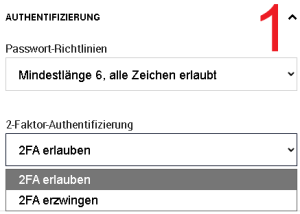
In den Berechtigungen (Bild 1) von Benutzern, sowie in den Berechtigungsgruppen, kann nun ein zweiter Faktor als zeitbasiertes Einmalpasswort (TOTP) für alle Benutzer entweder erlaubt oder erzwungen werden. Wenn 2FA erzwungen wird, muss die Einrichtung beim Login durch den jeweiligen Benutzer erfolgen. Zudem ist 2FA bei Aufruf der Verwaltung und persönlichen Einstellungen erforderlich.
Wird die optionale 2-Faktor-Authentifizierung nicht aktiviert, wird bei versuchtem Zugriff auf die Verwaltung/Einstellungen das Nutzerpasswort abgefragt. So wird der Verwaltungsbereich oder Einstellungsbereich mit einem zusätzlichen Sicherheitsmechanismus geschützt, auch wenn ein Nutzer auf einem Computer in der Öffentlichkeit (z.B. in der Fahrzeughalle) aktiv eingeloggt ist. Die Eingabe des Passwortes ist alle 10 Minuten (ab letztem Seitenaufruf) erneut notwendig. |
Folgende Benutzer können 2FA verwenden:
| Benutzer-Typ | Kann 2FA verwenden |
|---|---|
| Admins |  |
| Endanwender | |
| Monitor-Benutzer | |
| Fahrzeug-Benutzer | |
Einrichten der 2-Faktor-Authentifizierung
Bei optionaler Nutzung:
Gehen Sie zum Einrichten der 2-Faktor-Authentifizierung über einen Webbrowser in Ihre persönlichen Einstellungen.
Diese finden Sie über Ihre Initialen oben rechts und klicken dort dann auf "Einstellungen".
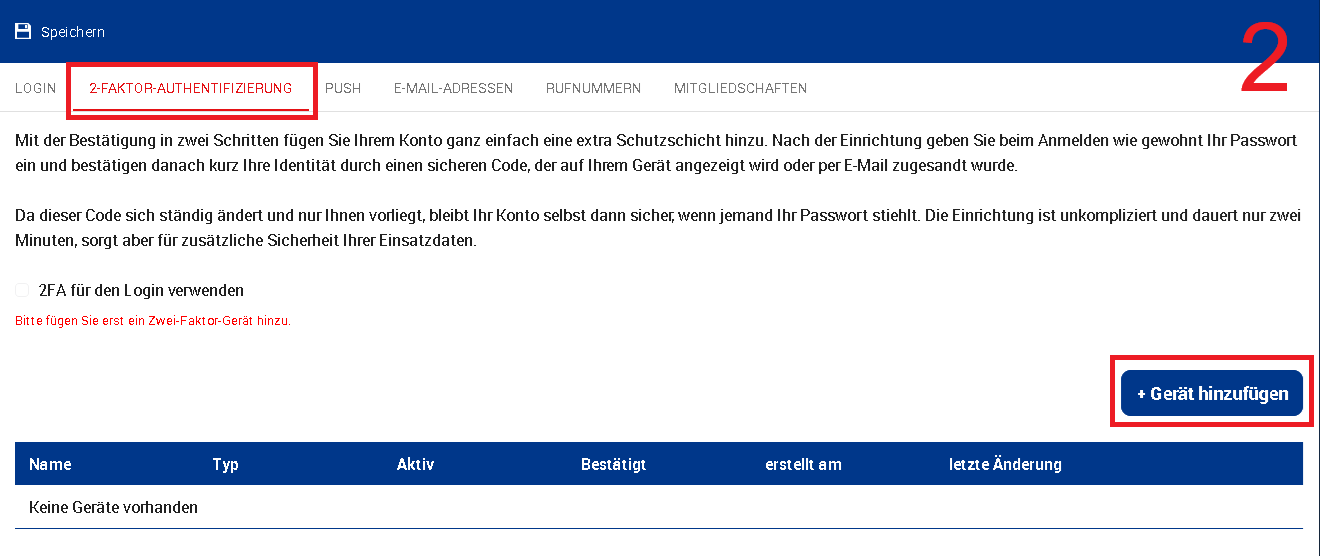
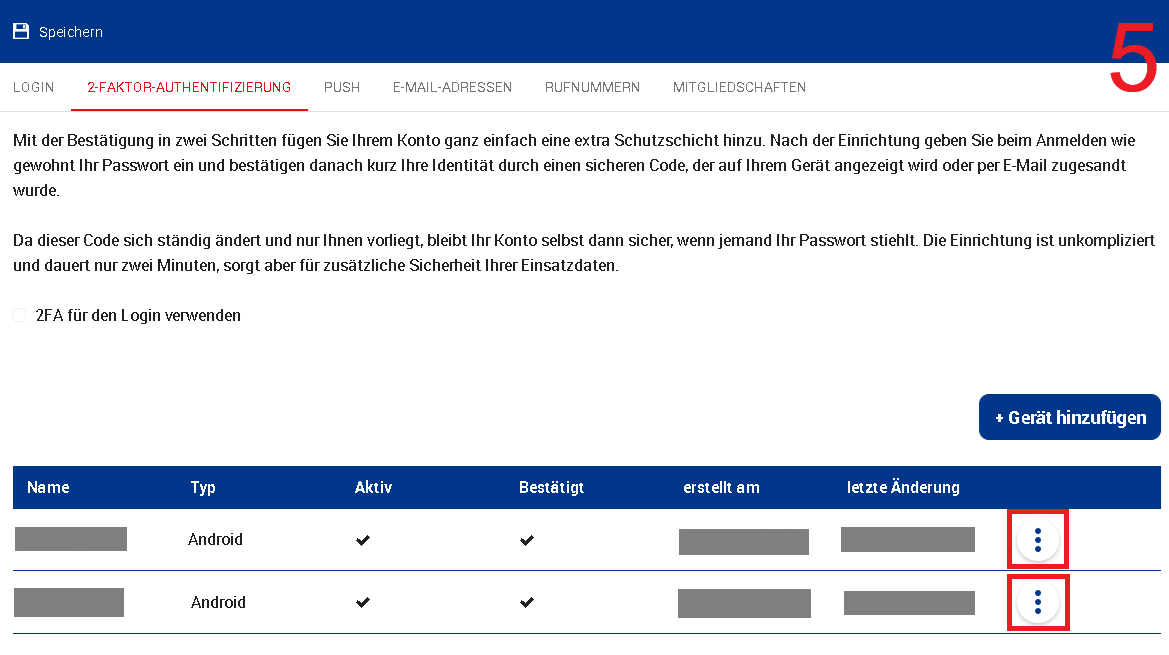
Dort finden Sie die Registerkarte "2-Faktor-Authentifizierung". (Bild 2)
Bei erzwungener Nutzung:
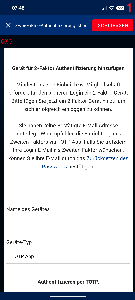
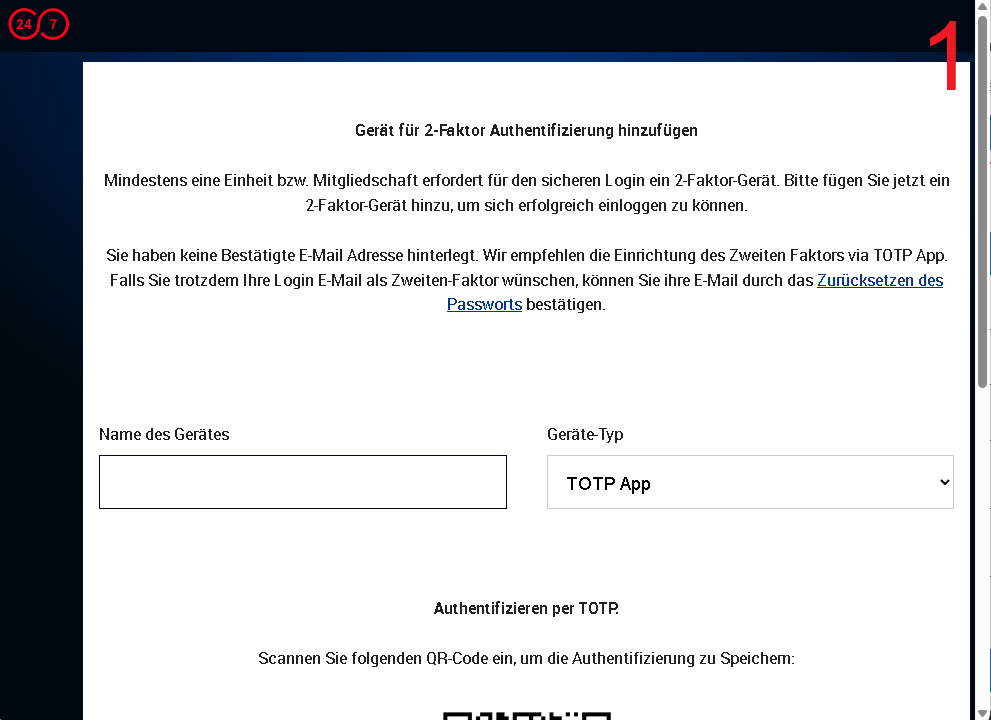
Wenn Sie sich nach der Umstellung auf die erzwungene Nutzung das erste Mal einloggen, wird Ihnen die Seite zum Hinzufügen eines weiteren Faktors ohne weiteren Zwischenschritt angezeigt.
Eintragen des zweiten Faktors:
Klicken Sie hier auf "+Gerät hinzufügen" um für diesen Account einen weiteren Faktor hinzuzufügen.
Eingabe des weiteren Faktors:
Nachdem Sie das Hinzufügen eines weiteren Faktors veranlasst haben öffnet sich die Eingabemaske für diesen Faktor.
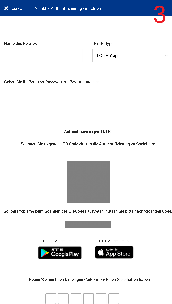
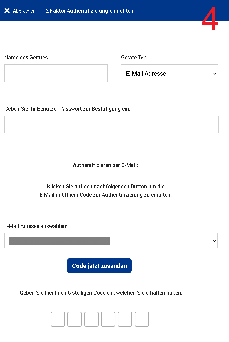
Hier geben Sie dem gewünschten Gerät einen Namen zur leichteren Verwaltung und bestimmen die Art des Faktor, dies kann per E-Mail (Bild 4) oder per dedizierter 2FA-App (Bild 3) erfolgen.
Bei Nutzung per App:
Hier können Sie einer der unten aufgeführten Apps nutzen um den QR-Code zu scannen und können den dann erzeugten Code der App unten im Feld eintragen.
Sobald der richtige Code eingetragen wurde speichert die Seite automatisch.
Bei Nutzung per E-Mail:
Hier können Sie einer der bestätigten Mailadressen als weiteren Faktor hinterlegen. Sollten Sie mehrere Mailadressen bestätigt haben können sie diese im Dropdown-Menü auswählen.
Wenn Sie die gewünschte Mailadresse ausgewählt haben klicken Sie auf "Code jetzt zusenden". Kurze Zeit später kommt dann ein Code bei der gewünschten Mailadresse an.
Diesen geben Sie dann in dem unteren Feld ein. Auch hier speichert die Seite nach der Eingabe automatisch.
Verwalten der Authentifizierungsgeräte
Nach dem Speichern können dann alle verknüpften Geräte in der Liste eingesehen, bearbeitet, oder gelöscht werden.
Hierzu müssen Sie nur auf den Aktionsknopf mit den drei Punkten klicken und können dann die gewünschte Aktion ausführen.
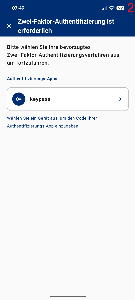
Einrichtung und Login in den Apps:
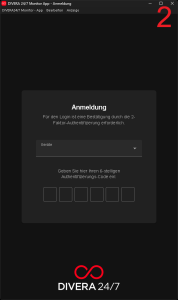
In unseren Apps wird die Nutzung von einem zweiten Faktor wie folgt angezeigt oder eingerichtet.
| App | Einrichtung (1) | Login (2) | ||
|---|---|---|---|---|
| Android | folgt | folgt | ||
| Apple |
|
| ||
| Monitor-Desktop-App |
|
|
Diesen Authentifizierungs-Apps sind uns bekannt:
| App/Anbieter | QR-Code | Link zu den App Stores (Apple/PlayStore) | |
|---|---|---|---|
| TOTP | | |
| Google Authenticator | | |
| Microsoft Authenticator | | |
| 2FA Authenticator (2FAS) | | |
| Last Pass | | |
| Authenticator | | Apple App Store: Link |
| Free OTP | | |
| Twilio Authy | | |
| Apple iCloud Schlüsselbund | | |
| KeePassXC |  | Anleitung folgt |






Was kann ich bei Problemen tun?
Auf folgender Seite finden Sie einige Lösungen für Probleme wie z.B. das Entfernen eines Gerätes.
2FA - Problemlösungen